

Stay Ready To 3D Print
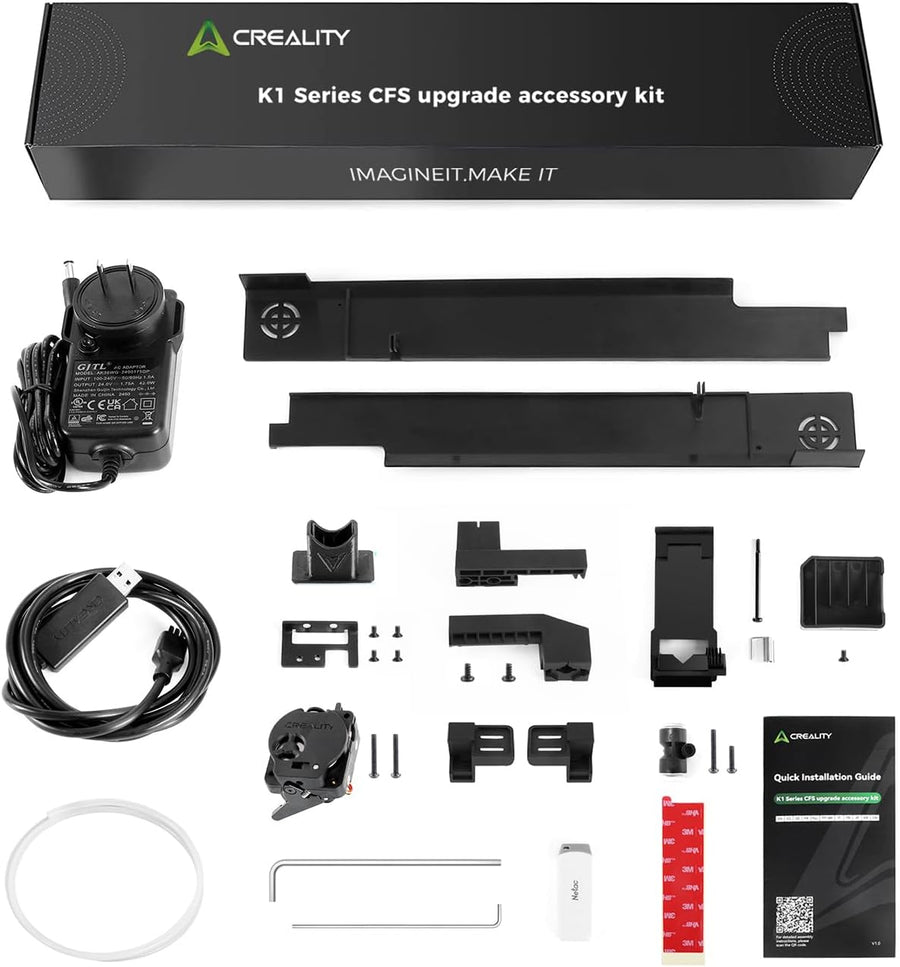
Official K1 Series CFS Upgrade Accessory Kit, Unlock Multi-Color Printing, 40-Minute Installation for CFS Filament System, Compatible with K1 Max, K1C, K1, K1 SE 3D Printers
Description
- Multi-Color Printing with CFS Upgrade Kit: Unlock your creativity with vibrant and multi-colored 3D prints. The CFS Upgrade Kit make multi-color printing accessible and reliable for everyone who had bought K1 Series, don't waste extra money on buying a K2 Plus printer. NOTE: This upgrade kit does not include the CFS Filament System.
- Dedicated New Extruder with Precision Control: Our advanced extruder is equipped with an integrated cutter and run-out sensor, ensuring seamless filament changes and uninterrupted printing. This precision engineering guarantees consistent print quality and minimizes downtime, making it ideal for both hobbyists and professionals.
- Quick Connection to CFS with Smart Automation: Experience the future of 3D printing with our quick-connect CFS system. It features auto RFID filament recognition, enabling instant material identification and seamless auto filament switching. This smart automation ensures smooth transitions between filaments, enhancing workflow efficiency and reducing manual intervention.
- Full Compatibility with K1 Series Printers: Designed to perfectly integrate with the entire K1 series, including the K1 Max, K1C, K1, and K1 SE, our CFS Upgrade Kit ensures optimal performance across all models. Whether you're pushing the limits with high-speed printing or demanding precision, this CFS Upgrade Kit delivers unmatched reliability and adaptability.
- After-sale Service: There are more than 20 engineers for after-sales service and provide 24/7 customer service with 1-year limited and lifetime technical assistance. Please contact us via “ask a question”directly to get the professional assistance.
Product Description
| Rated Voltage | AC 100~240V |
| Rated Power | 42W (External power adapter for CFS) |
| Connection Method | USB to 485 |
| Extruder | Direct drive extruder (Filament cutter & run-out sensor included) |
| Auto Filament Loading | Yes (Connection to CFS is required) |
| Firmware Update | Update by USB drive at first, then OTA can be used |
| Slicing Software | Creality Print 5.1 and newer versions |
| App | Creality Cloud App for Remote Control (Multicolor G-code file transfer is enabled; multicolor cloud slicing is not available yet) |
-
What should I do if the K1 Series CFS Upgrade Accessory Kit I received is missing parts?
Please message us directly for replacement parts.
-
When the error "TC 2841 cutter issue" appears, what should I do?
1. Update to the latest version 2.3.5.33. 2. Check if the consumables are cut off. Inspect whether the cutter is damaged or stuck.
-
What should I do when new firmware reports an error on K1 MAX (2.3.5.33)?
Printhead module communication error. Check if the connecting cable has any crimps, looseness, or poor contact.
-
"Upgrade ISO image is corrupted" is displayed.
Determine whether it's a firmware issue or caused by poor USB drive contact leading to the upgrade failure. 1. What version is the firmware on the USB drive? 2. Was the USB drive securely connected during the update?
-
The firmware is not on the USB drive. After manually placing it and update but a "Failed" message appears.
Update to firmware version 2.3.5.33.