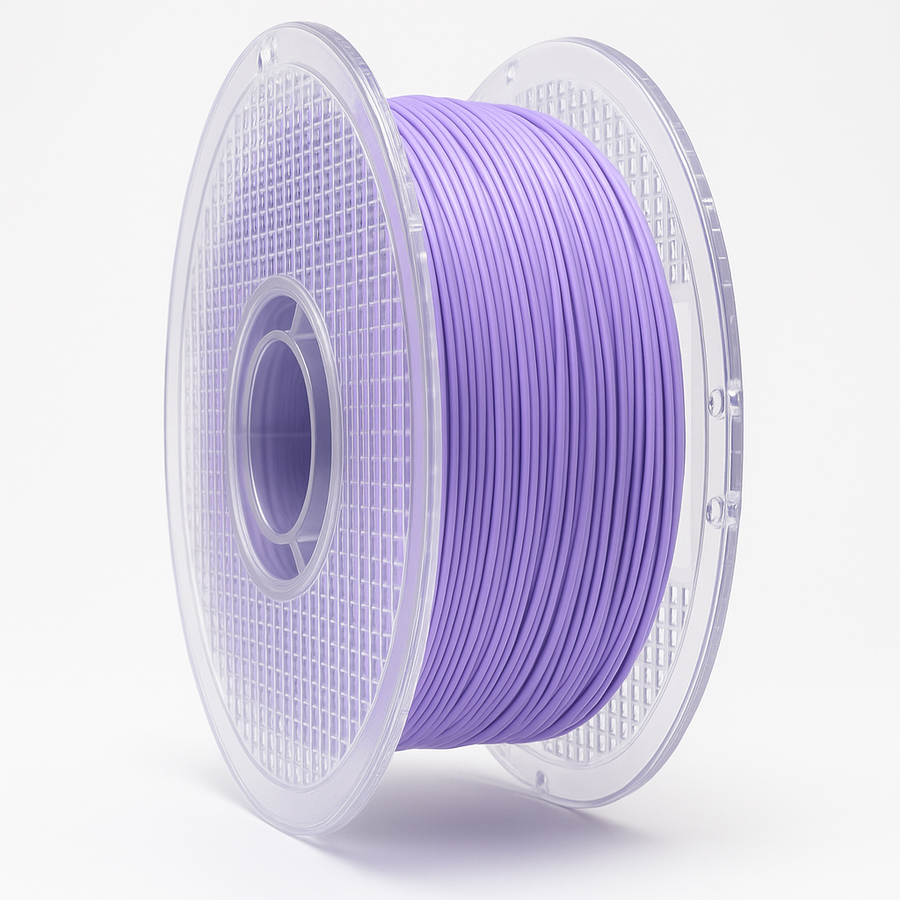


Stay Ready To 3D Print
MorphX TPU 1.75mm Variable Shore Hardness 90a-70a
Description
MorphX TPU – The Next Evolution in Flexible Filament
MorphX isn’t just another TPU filament—it’s engineered for performance, precision, and reliability. Designed for makers who demand the best, MorphX solves the most common frustrations with TPU while unlocking new levels of flexibility and strength. Whether you’re printing wearable prototypes, protective parts, or custom creations, MorphX gives you consistent flexible results every time.
Recommended Print Profile: We copied the Flex profile from Prusa Slicer and did not change a thing! It works perfectly! It’s a great starting point for anyone. All printers are designed differently and you will need to fine tune your settings according to your printer and environment.
✅ Why Choose MorphX TPU?
-
Dual Hardness Effect – Prints at 90A but softens after cooling to feel like ~70A, giving you the best of strength and flexibility.
-
Superior Printability – Optimized to reduce stringing, clogging, and feed issues common in other flexible filaments.
-
Durable & Resilient – Withstands repeated bending, stretching, and impact without cracking. Up to 10X STRONGER than regular TPU
-
Smooth Finish – Produces clean surfaces with fewer print defects with a matte type finish.
-
Versatile Applications – Perfect for shoe soles, phone cases, gaskets, flexible hinges, RC tires, wearables, and more.
-
Maker Approved – Developed by the Stay Ready to 3D Print team, tested across multiple printers for compatibility and consistency.
⚠️ Common TPU Problems (That MorphX Solves)
-
❌ Standard TPU Gloss Finish – Regular TPU has an undesirable gloss finish.
-
❌ Feeding Issues – Many TPUs jam or grind in extruders, especially Bowden setups.
-
❌ Too Hard – You're forced to use harder filament just to make it print correctly.
-
❌ Weak Layer Adhesion – Flexible parts often tear apart under stress.
❌ Slow Printing Speeds – Normal TPU requires frustratingly slow print settings.
Get started with some cool shoes to show off to your friends & family! Links below
Whaleberry Sport Shoe
https://makerworld.com/en/models/1229146-whaleberry-a-3d-printed-thick-soled-casual-shoe?from=search#profileId-1251096
Crazy Running Shoe
https://www.crealitycloud.com/model-detail/running-shoes-hollow?source=19&objId=3d-printed-shoes-models
Parametric Insole
https://www.crealitycloud.com/model-detail/shoe-sole-parametric?source=19&objId=3d-printed-shoes-models
Croc Style Slides
https://www.crealitycloud.com/model-detail/crocs-inspired?source=19&objId=3d-printed-shoes-models
Misc. Shoes
https://makerworld.com/en/search/models?keyword=shoes
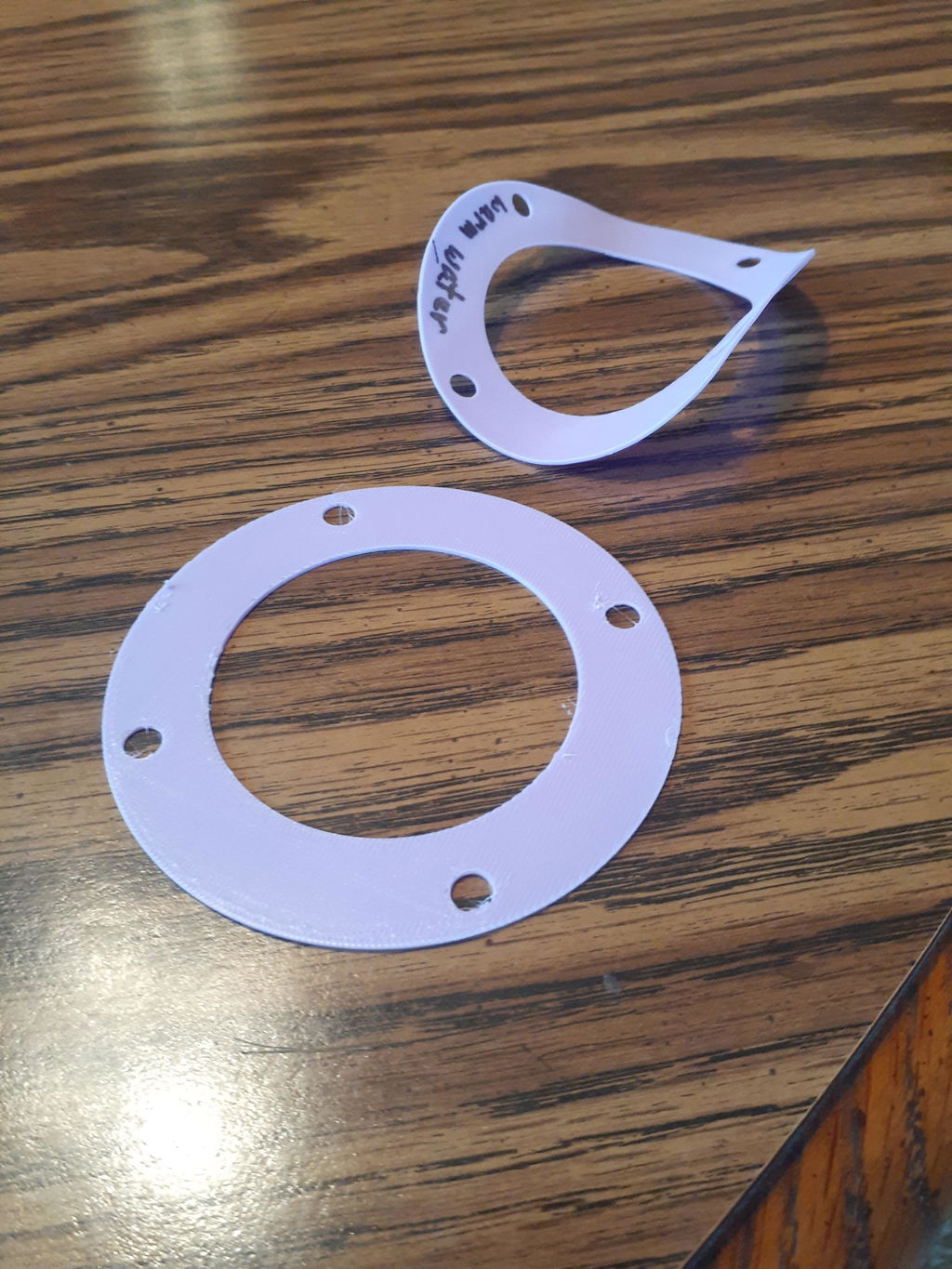
I found that I could not get a uniform flow rate with this material in my Bambu Labs A1 Mini printer, with only a direct drive extruder. This was in spite of using an overhead roller filament holder and feeding the filament directly into the top of the extruder with no PTFE tubing in between. The best results were obtained by manually keeping the filament slack. However, my Snapmaker U1 printer, with direct drive extruders and motorized filament feeders, handled it with no problems. The recommended nozzle temperature range of 210 to 240 C does not appear to be correct. I found the material did not extrude below 235 C in my A1 Mini and printed best at around 245 to 250 C. I've only tried printing at 245 C in my U1 printer. I have a G10 fiberglass bedplate for my A1 mini and the material removed easily from this, along with a release agent, after printing. A circular gasket about 90 mm diameter came out nice and flat after removing. Unfortunately, I only have textured and smooth PEI bedplates for my U1. The material exhibited extreme adhesion on both and had to be scraped off destroying the prints and risking damage to the bedplates. With the use of a release agent on the PEI plate followed by soaking in hot water, or alternatively heating the bedplate to 75 C, I was able to get the print off without destroying it, but the gasket had a significant curl to it afterwards. However, the U1 printer produced uniform print lines and a clean print free of stringing and blobs. After some reverse bending I was able to get the gasket to lay nearly flat and I believe it will be useable. The 70A hardness should make for a good gasket.
Very good. Prints very good. Great for a phone case or shoe…
Hi JC, we're thrilled to hear you're pleased with the MorphX TPU! It’s perfect for phone cases and shoes. Thanks for sharing your experience!
It was easy to print and the detail on my print made the model look really nice, my customer said she loved it, which says it all.
Hi Jimmy, we're thrilled to hear your print turned out great and your customer loved it! Thanks for sharing your experience with the MorphX TPU. Happy printing!